Shopify Search & Discovery Filters: How Product Data Shapes Collection Navigation
Learn how Shopify Search & Discovery filters depend on consistent product attributes, the right data source, and practical catalog governance.
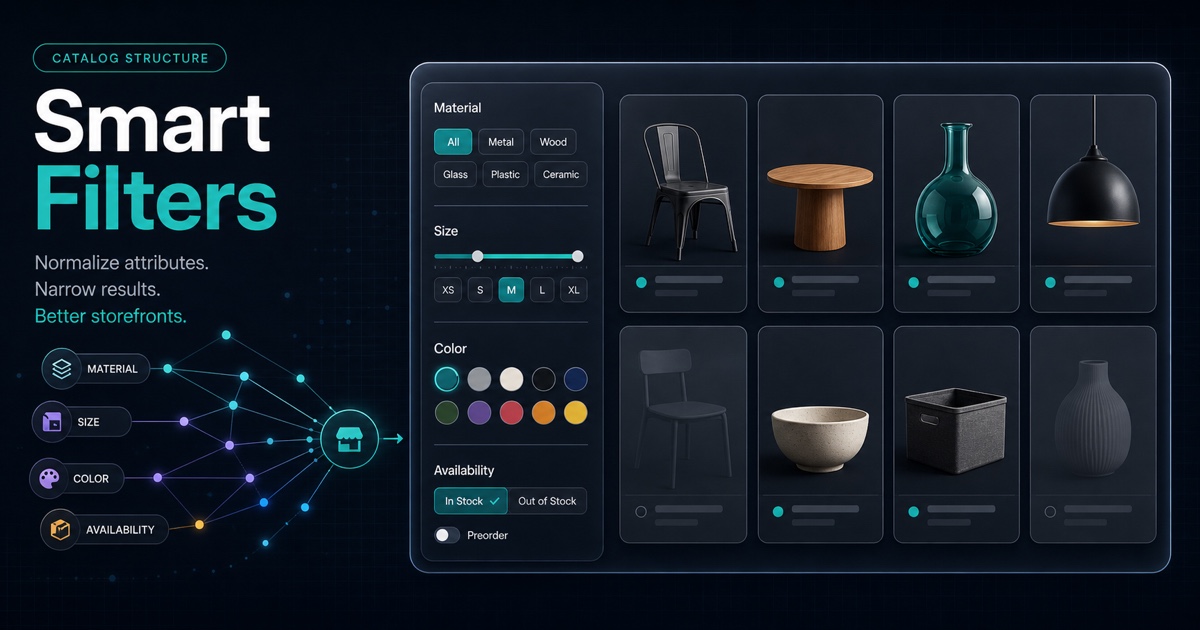
Shopify Search & Discovery filters work best when the catalog already describes products consistently. The filter itself is only the interface. Product options, categories, metafields, tags, availability, and prices determine what shoppers can actually select.
That distinction matters. Adding a “Material” filter does not fix a catalog where the same fabric appears as Organic cotton, 100% Cotton, Cotton organic, and a blank value. It exposes the inconsistency.
This guide explains how to choose filter sources, model attributes, normalize values, and review the storefront before enabling more filters.
The Short Version
Use this sequence:
- Step 1 — Start with a shopper decision, not a list of available fields.
- Step 2 — Decide whether the attribute belongs to the product or a variant.
- Step 3 — Use a controlled set of values.
- Step 4 — Measure coverage before enabling the filter.
- Step 5 — Test useful combinations and zero-result paths.
- Step 6 — Assign an owner for new and changed values.
Shopify supports standard filters such as availability, category, price, product type, tags, and vendor. Custom filters can come from product options, product metafields, category metafields, variant metafields, and supported metaobjects. The exact options and limitations can change, so check Shopify's current Search & Discovery filter documentation before rollout.
Filters Are A View Of Your Catalog Data
Think of a collection filter as a query over product facts.
Shopper question
  -> filter label
    -> catalog attribute
      -> product or variant values
        -> matching products
If any layer is unclear, the filter becomes unreliable.
Suppose a shopper asks, “Which commuter backpacks fit a 16-inch laptop?” A useful filter needs more than a label called “Laptop size.” The underlying catalog needs:
- A defined attribute for supported laptop size.
- A consistent unit and value format.
- Coverage across the relevant backpacks.
- A rule for products that support multiple sizes.
- Visible product-page copy that confirms the selected value.
Without those foundations, the filter can return incomplete or misleading results.
Choose The Right Filter Source
Shopify's storefront filtering can use product and variant data including availability, category, price, tags, product type, vendor, variant options, and metafields. Shopify's developer documentation describes storefront filtering as the recommended filtering method for themes and explains that applied filters appear in collection or search URLs as query parameters. See the current storefront filtering reference.
The practical choice is not “which source is easiest?” It is “which source represents the fact correctly?”
| Source | Good fit | Watch for |
|---|---|---|
| Availability | In-stock versus unavailable choices | Inventory policy and empty-value behavior |
| Category | Broad standardized product grouping | Category accuracy across the catalog |
| Product type | A stable internal product family | Legacy or inconsistent type names |
| Vendor | Multi-brand catalogs | Default-language limitations and inconsistent vendor names |
| Product option | A shopper-selectable variant choice such as size | Option-name drift such as Color versus Colour |
| Product metafield | A fact shared by the whole product | Using it when the value actually changes by variant |
| Category metafield | A category-specific standard attribute | Correct product-category assignment |
| Variant metafield | A fact that changes per sellable variant | Whether the storefront should lead to the matching variant |
| Tag | A small, carefully governed label set | Tags reused for automation, admin workflows, or temporary campaigns |
Shopify recommends variant metafields when a visual filter should lead shoppers to the relevant variant. If selecting red should open or highlight a red variant, a variant-level source is usually more faithful than one product-level color field. If the fact applies to every variant, a product-level source is simpler.
Product-Level Or Variant-Level?
Use one question:
Decision question: Can this value change between two purchasable variants of the same product?
If yes, it probably belongs at variant level.
Examples:
| Attribute | Likely level | Why |
|---|---|---|
| Backpack capacity | Product | Every color of the same model has the same capacity |
| Color | Variant | A shopper selects a specific color to purchase |
| Size | Variant | Price or availability may differ by size |
| Waterproof rating | Product | Usually describes the model construction |
| Compatible device | Product or variant | Depends on whether compatibility changes by option |
| Material | Product or variant | Depends on whether material is a purchasable choice |
Do not force the answer from the filter UI. Model the product truth first, then expose the appropriate field.
Build A Small Attribute Model First
Before adding filters, write a simple attribute contract.
| Field | Example |
|---|---|
| Shopper question | Will this backpack fit my laptop? |
| Filter label | Laptop size |
| Internal definition | Largest supported closed-device diagonal |
| Data level | Product |
| Value set | 13 in, 14 in, 15 in, 16 in, 17 in |
| Multiple values allowed? | Yes |
| Required coverage | All laptop backpacks |
| Visible confirmation | Specifications block on product page |
| Owner | Merchandising |
This prevents a common failure: a technically valid field that nobody knows how to populate.
Example: A Cleaner Backpack Filter Model
Weak source data:
Capacity: 22 litre / 22L / twenty-two liters
Laptop: MacBook / laptop-ready / up to 16 inch
Color: Navy / navy blue / Midnight
Controlled source data:
capacity_liters: 22
max_laptop_size_inches: [13, 14, 15, 16]
base_color: Blue
merchant_color_name: Midnight Navy
The controlled model does not remove merchant-friendly copy. It separates normalized attributes from presentation language. Product pages can still say “Midnight Navy,” while the filter can group the variant under a shopper-friendly “Blue” value.
Normalize Values Before Enabling Filters
Check these consistency problems:
- Capitalization differences:
Blue,blue,BLUE. - Synonyms:
Navy,Navy Blue,Midnight. - Mixed units:
500 ml,0.5 L,16.9 oz. - Mixed scopes: material values combined with marketing collections.
- Placeholder values:
Other,N/A,Default. - Missing values on products that should be covered.
- Old values left behind after an option or taxonomy migration.
Shopify can group multiple standard-attribute values under a single displayed value. That is useful for presentation, but grouping should not become a permanent substitute for cleaning the source data.
Use grouping when the underlying values are intentionally more specific than the shopper-facing choice. Fix the source when the differences are accidental.
If the attributes are buried in inconsistent product copy, start with the Shopify product content gaps guide before treating filters as the fix. If shoppers also struggle to move between collections, products, and guides, review the Shopify internal linking workflow.
Measure Coverage, Not Just Completion
A filter can technically exist while covering only part of a collection.
For each proposed filter, calculate:
coverage = products with a valid value / eligible products in the collectionThere is no universal percentage that makes a filter useful. The decision depends on the attribute and the collection. A 70% “Material” filter may hide important products from shoppers who use it. A 70% specialist compatibility filter might be acceptable if the unsupported products truly do not belong in the filtered set.
Review three groups separately:
- Group 1 — Products with a valid value.
- Group 2 — Products with a missing value.
- Group 3 — Products with a value outside the controlled set.
Do not mark the catalog ready until someone has decided what each group means.
Test Filter Logic And Dead Ends
Shopify documents two important behaviors:
- Different filter groups normally combine with
ANDlogic. - Multiple values inside the same filter normally combine with
ORlogic, although supported list-based filters can be configured differently.
So a shopper selecting Blue and 16 inch expects products that satisfy both filter groups. Selecting Blue and Green within Color normally expands the result set.
Test combinations that reflect real buying decisions:
- Color + size.
- Material + price.
- Compatibility + availability.
- Category-specific attribute + vendor.
Shopify's storefront filtering UX guidance recommends showing result counts and avoiding selectable values that lead to zero results. Also test mobile layout, applied-filter visibility, and the reset path.
Know The Current Platform Limits
As reviewed on August 4, 2026, Shopify documents these constraints:
- A store can configure up to 25 filters.
- Filters do not display for collections with more than 5,000 products.
- Filters do not display when a search produces more than 100,000 results.
- A storefront filter can display up to 100 values.
- Price filtering does not display when shoppers use a currency other than the store's default currency.
- Product-tag filter values are limited to the store's default language; vendor values also use the default language.
These are platform details, not timeless strategy rules. Verify the current Shopify limitations before making a catalog or localization decision.
The broader lesson is stable: avoid a filter model that depends on hundreds of noisy values or assumes every market behaves identically.
Do Not Treat Filter URLs As A Content Strategy
Applied Shopify storefront filters appear in URLs through parameters. That helps preserve state and makes filtered results shareable. It does not mean every possible filter combination should become an indexable landing page.
Keep the jobs separate:
- Collection pages explain durable product groups.
- Filters narrow a collection for a shopper.
- Product pages explain individual products and variants.
- Guides answer broader comparison questions.
If a filtered segment deserves permanent copy, navigation, metadata, and ongoing ownership, consider whether it should be a real collection or landing page. Do not assume the filter interface creates that content automatically.
A Practical Rollout Sequence
Start with one collection, not the entire catalog.
- Step 1 — Choose a collection with clear shopper decisions.
- Step 2 — List the three to five attributes that change those decisions.
- Step 3 — Map each attribute to its authoritative data source.
- Step 4 — Normalize values and document allowed entries.
- Step 5 — Measure missing and invalid coverage.
- Step 6 — Enable the smallest useful filter set.
- Step 7 — Test realistic combinations on desktop and mobile.
- Step 8 — Confirm the selected product or variant matches the filter.
- Step 9 — Assign an owner for future values.
- Step 10 — Review the filter after new products, themes, markets, or apps are introduced.
Search & Discovery Filter Audit Checklist
- Every filter answers a real shopper question.
- The source is correct for product-level or variant-level data.
- Values follow a controlled vocabulary.
- Units and capitalization are consistent.
- Missing values have been reviewed, not ignored.
- Filter labels are understandable without internal catalog knowledge.
- Useful combinations return the expected products.
- Zero-result and empty-value behavior has been tested.
- Mobile filtering is usable.
- Translations and multi-currency limitations have been checked where relevant.
- Product pages visibly support the selected attributes.
- A team member owns the attribute definitions.
Where AnswerAtlas Fits
AnswerAtlas treats storefront filtering as a catalog-quality question. A useful review starts with the product facts behind each filter: whether important attributes are present, consistent, visible, and attached to the correct product or variant.
Filters do not guarantee search visibility or AI citations. They can, however, reveal where the catalog lacks the structured and visible product information shoppers need to make a decision.
Start with one important collection. If its product data cannot support three useful filters cleanly, fix the catalog model before adding more navigation controls.
Primary References
Next step
See how AI-readable your Shopify catalog is.
AnswerAtlas can scan product pages for AI-readiness signals such as structured data, catalog clarity, and crawler-friendly content.
Open Shopify App Store listing