Shopify Internal Linking For AI Search: Connect Products, Collections, And FAQs
Learn how to connect Shopify product pages, collection pages, FAQs, and buying guides with internal links that make catalog context easier to crawl and understand.
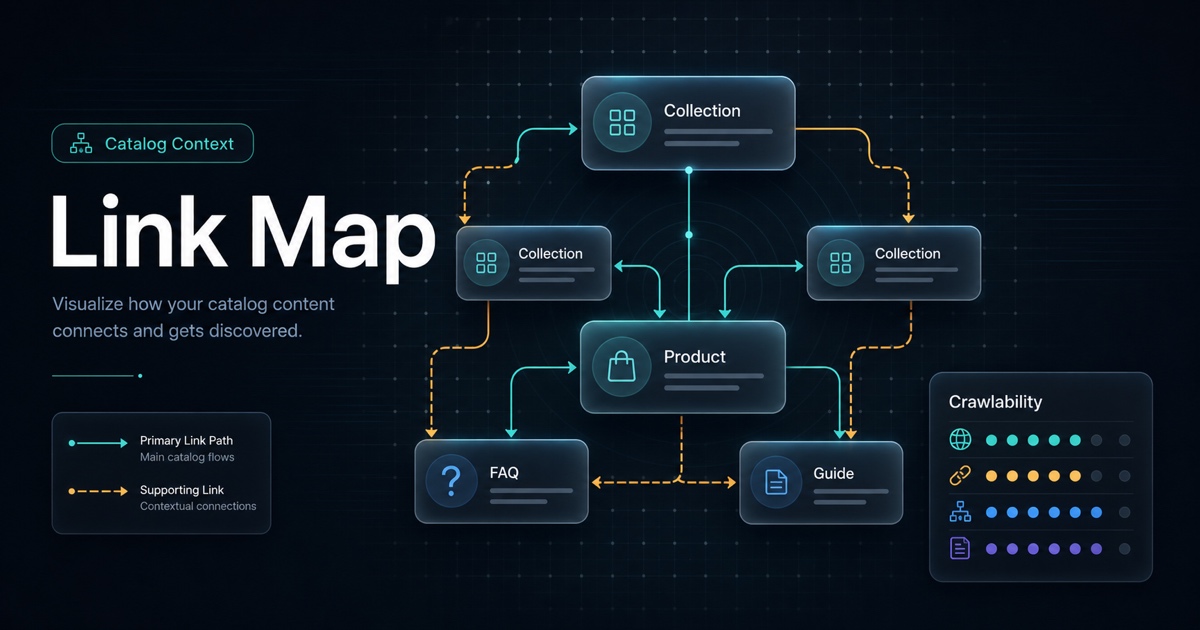
Internal links are not just SEO plumbing. For Shopify stores, links explain how products, collections, FAQs, guides, and policies relate to each other. They help shoppers move through the catalog, and they give crawlers a clearer path through important pages.
If product pages are isolated, AI systems have less context. A clear internal linking structure helps the store explain itself.
The Short Version
Strong internal linking connects four page types:
1. Collection pages that explain categories. 2. Product pages that explain individual items. 3. FAQs that answer purchase questions. 4. Guides or comparisons that explain how to choose.
The goal is not to add more links everywhere. The goal is to connect the right pages with useful anchor text.
A Simple Shopify Link Map
Start with one important collection and map the surrounding pages.
Buying guide
  -> Collection page
      -> Best-selling product pages
      -> Related collection pages
  -> FAQ page
      -> Product pages with relevant questions
Product pages
  -> Collection page
  -> FAQ answer
  -> Comparison or care guide
This gives shoppers and crawlers a readable path from education to category context to product detail.
Link Pattern 1: Collection To Product
Collection pages should do more than display a grid. Add a short intro that explains the category and then link to the most important products with descriptive context.
Weak anchor:
Click hereStronger anchor:
Compare our 22L commuter backpack for laptop-friendly daily carry.The stronger version explains why the linked product matters.
Link Pattern 2: Product To Collection
Product pages should link back to the collection when the shopper may want alternatives.
Useful patterns:
- View all commuter backpacks.
- Compare this item with other laptop bags.
- Browse related skincare for sensitive skin.
- See all replacement filters.
This helps prevent product pages from becoming dead ends.
Link Pattern 3: Product To FAQ
If a product page cannot answer every question cleanly, link to a deeper FAQ or support guide.
Good FAQ link opportunities include:
- Size and fit questions.
- Care instructions.
- Ingredient or material questions.
- Warranty and return policy details.
- Compatibility questions.
Use descriptive anchor text. "Read the laptop fit guide" is better than "Learn more."
Link Pattern 4: Guide To Product And Collection
Buying guides and educational posts should not float away from the catalog. They should link back to the relevant collection or product pages.
Example:
If you commute with a laptop and gym clothes, start with the travel backpack collection and compare the 22L and 30L models.That sentence connects the reader's problem to a category and a product choice.
Link Pattern 5: Related Products With Explanation
Related product modules are useful when they explain the relationship.
Weak:
You may also likeStronger:
Choose this tote for quick packing, or compare it with the backpack if you need laptop padding.AI search readiness is partly about reducing ambiguity. Relationship copy helps.
Common Internal Linking Mistakes
Watch for these issues:
- Orphaned products with no clear collection path.
- Generic anchors like "click here" or "learn more."
- Too many links in one block.
- Links to outdated or discontinued products.
- Guides that explain a choice but never link to the relevant product.
- Product pages that never link to FAQs or comparison help.
Fixing these does not require a new site architecture. It usually starts with the pages that already matter.
A Quick Audit Checklist
Pick one important collection and ask:
- Does the collection intro explain what belongs in the category?
- Do top products link from the collection with useful context?
- Do product pages link back to the collection?
- Are FAQs linked from the products they support?
- Do guides link to relevant products or collections?
- Are anchors descriptive for humans?
- Are discontinued pages removed or redirected?
If the answer is no, update the internal links before publishing more pages.
Where AnswerAtlas Fits
AnswerAtlas looks at internal linking as part of AI search readiness because links shape catalog context. The audit can identify priority pages that are isolated, weakly anchored, or disconnected from FAQs and guides.
Start with one collection, one guide, and five products. If that path is clear, expand the pattern to the rest of the catalog.
Next step
See how AI-readable your Shopify catalog is.
AnswerAtlas can scan product pages for AI-readiness signals such as structured data, catalog clarity, and crawler-friendly content.
Open Shopify App Store listing