How To Audit A Shopify Product Page For AI Search Readiness
Audit a Shopify product page for AI search readiness with a practical checklist covering titles, schema, FAQs, content depth, media, and internal links.
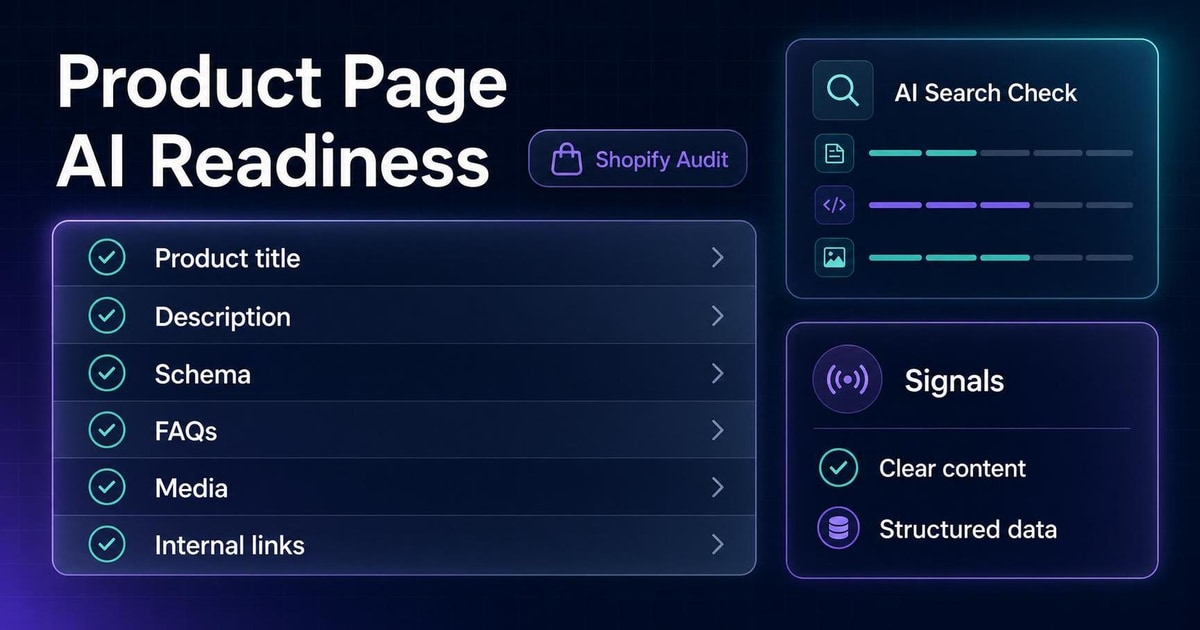
Most Shopify product pages are written to close a sale, not to explain the product clearly enough for AI systems to summarize it. That is fine until the page becomes hard to understand, hard to compare, or hard to trust.
AI search readiness starts with a simple question: if an AI system had to explain this product to a shopper, would the page give it enough clean facts to do that accurately?
This article gives you a fast audit you can run on a single product page or across a catalog. It is designed for merchants, ecommerce operators, and SEO leads who want a practical check rather than a technical lecture.
The Short Version
Use this five-part audit:
1. Can the page describe what the product is in one sentence? 2. Does it explain who the product is for and when to choose it? 3. Do the visible page copy and schema say the same thing? 4. Do the FAQs answer real shopper questions? 5. Can a shopper compare this product against nearby options without guessing?
If the answer is "no" to any of those questions, the page probably needs work before it is strong for AI search.
A 5-Minute Audit Scorecard
Score each section from 0 to 2:
- 0 = missing or confusing
- 1 = partially clear
- 2 = clear and specific
| Section | What to check | Score |
|---|---|---|
| Product title | Does the title say what the product is without guesswork? | 0 / 1 / 2 |
| Description | Does it explain the product, audience, and use case? | 0 / 1 / 2 |
| Schema | Does Product schema match the visible facts? | 0 / 1 / 2 |
| FAQs | Do the FAQs answer actual purchase questions? | 0 / 1 / 2 |
| Media and links | Do images, alt text, and internal links add context? | 0 / 1 / 2 |
Total score
- 0-4: weak readiness
- 5-7: partial readiness
- 8-10: strong readiness
That score is not a ranking promise. It is just a fast way to prioritize work.
1. Product Title Clarity
Start with the title. If the page title is vague, the rest of the page has to work harder.
Ask yourself
- Does the title say exactly what the product is?
- Does it include the most important differentiator?
- Could a shopper understand it without opening the page?
Weak example
Everyday Carry BackpackBetter example
22L Commuter Backpack With Laptop SleeveThe better title tells the reader what the product is and gives the most useful decision fact up front.
2. Description Depth
Many product pages use generic lines like "premium quality" or "for everyday use." Those words do not help a shopper decide, and they do not help AI understand the product.
Ask yourself
- Does the first paragraph explain the product in plain language?
- Does it mention the audience or use case?
- Does it include useful facts such as size, material, fit, ingredients, or compatibility?
Weak example
Designed for everyday convenience, this bag combines durability and style.Better example
This 22L commuter backpack is built for people who carry a 14-inch laptop, a water bottle, and small work accessories in one bag. The padded sleeve protects your device, while the front organizer keeps cables, keys, and notebooks separate on the way to work.The stronger version gives AI systems concrete facts to summarize and compare.
3. Schema And Visible Copy Need To Match
Structured data matters, but it only helps if it reinforces what the shopper can already see.
Ask yourself
- Does the schema description match the visible product copy?
- Are the price, availability, and product name aligned?
- Do the visible page and structured data disagree anywhere?
Common mistake
Product schema says one thing, but the visible page leaves out the same detail or describes the item differently.
That mismatch creates confusion for both users and machines.
Fix
Keep schema and page copy aligned on:
- Product name
- Description
- Brand
- Price and currency
- Availability
- Images
- Variant logic
If the visible page changes, update the schema at the same time.
4. FAQs Should Answer Real Shopper Questions
FAQ blocks are most useful when they answer the questions that stop someone from buying.
Good FAQ topics
- Will this fit my device?
- Which size should I choose?
- What materials is it made from?
- How do I care for it?
- What is included?
- When should I choose a different product?
Weak FAQ example
Q: Is this backpack good?
A: Yes, it is a great backpack for everyone.
Better FAQ example
Q: Will this backpack fit a 14-inch laptop?
A: Yes. The Large size includes a padded laptop sleeve for most 14-inch laptops. If you only carry a tablet and a few daily essentials, the Medium size is a lighter option.
The second answer gives a real decision path.
5. Media And Internal Links Add Context
Images do not just show the product. They can also explain it.
Ask yourself
- Do the images show the product in a useful context?
- Does alt text describe the image clearly?
- Are there links to a relevant collection, buying guide, or comparison page?
Fix ideas
- Add an image that shows scale or use case.
- Use alt text that explains what the image shows.
- Link to a size guide, category page, or comparison article.
If the page exists in isolation, AI systems have less catalog context to work with.
A Simple Pass/Fail Checklist
Use this checklist on your top product pages:
- The title is specific.
- The first paragraph explains the product clearly.
- The page names the main use case or target customer.
- Important details like size, material, fit, or compatibility are visible.
- Product schema matches the page copy.
- FAQ answers are based on real shopper questions.
- Media and alt text add context.
- Internal links connect the product to the rest of the catalog.
If you miss three or more boxes on a top product page, that is a strong candidate for a rewrite.
What To Fix First
Do not rewrite everything at once. Start with the pages that matter most.
Prioritize:
1. Best sellers with thin descriptions. 2. Products with support questions or frequent returns. 3. Products with high traffic but weak conversion. 4. Products that sit next to close alternatives in the catalog. 5. Pages where schema and visible copy disagree.
The first improvement should usually be clarity, not length.
Mini Example
Here is a simple before/after approach for a product page:
Before
Premium commuter backpack for everyday use.After
22L commuter backpack for people who carry a 14-inch laptop, a water bottle, and daily work essentials in one bag. Includes a padded laptop sleeve, side bottle pocket, and front organizer.The after version is still short, but it gives AI systems and shoppers enough detail to understand the product.
Where AnswerAtlas Fits
AnswerAtlas helps teams run this kind of audit across a catalog. The goal is not to guarantee AI citations or ranking gains. The goal is to find pages that are too vague, too inconsistent, or too hard to summarize and then fix them in a practical order.
If you want a starting point, use the scorecard above on your five most important product pages. Then run the free AI readiness audit on the pages that need the most help.
Next step
See how AI-readable your Shopify catalog is.
AnswerAtlas can scan product pages for AI-readiness signals such as structured data, catalog clarity, and crawler-friendly content.
Open Shopify App Store listing