Shopify AI Search Audit Template: A Practical Worksheet For Store Teams
Use this Shopify AI search audit template to review product pages, schema, FAQs, collection pages, internal links, and crawl signals before requesting a deeper audit.
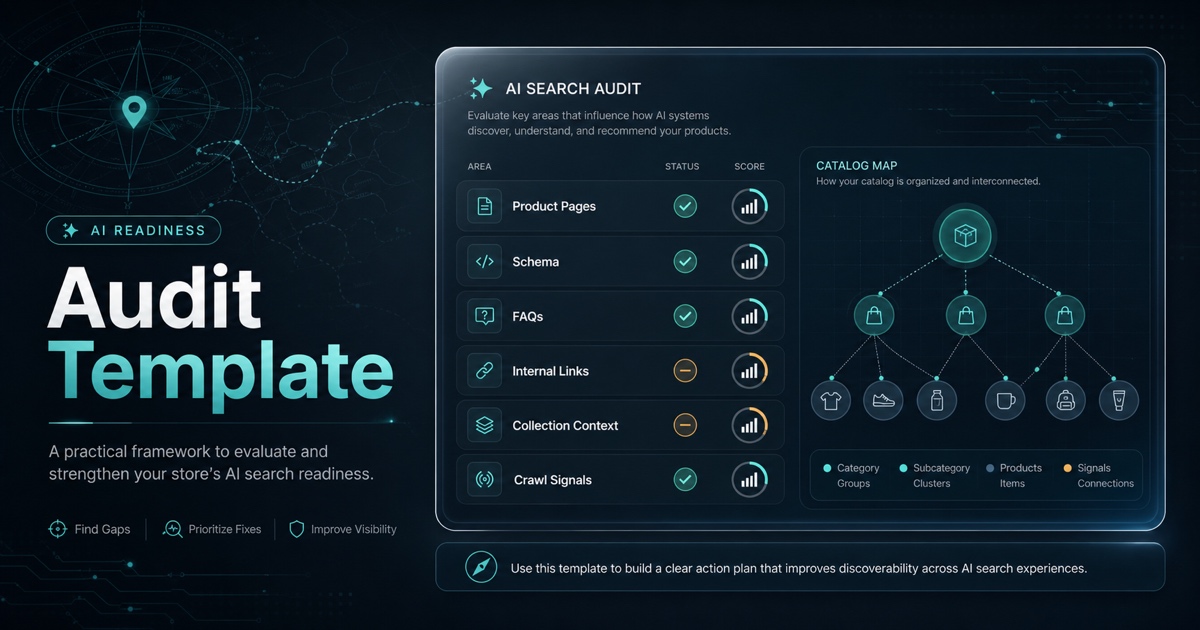
An AI search audit should not feel like a vague SEO checklist with a new label. For Shopify stores, the useful question is more concrete: can a crawler, assistant, or answer engine understand what the store sells, which pages matter, and which product facts are trustworthy?
This template gives store teams a practical way to review that question before asking for a deeper audit. It is not a ranking predictor. It is a clarity worksheet for product pages, structured data, FAQs, collection pages, internal links, and crawl signals.
The Short Version
Audit one small set of pages before reviewing the whole store:
1. Five high-priority product pages. 2. Two collection pages that represent important categories. 3. One FAQ, guide, or policy page that answers purchase questions. 4. Sitemap, canonical, robots, and structured data signals. 5. Internal links that connect the pages into a readable catalog path.
If those pages are hard to understand, the rest of the catalog probably has the same issue.
The Audit Worksheet
Use this table as the first-pass worksheet.
| Area | Pass condition | Score |
|---|---|---|
| Product title | Names the actual product, not just a campaign phrase | 0-2 |
| Description | Explains what it is, who it is for, and key specs | 0-2 |
| Variant context | Explains size, color, bundle, or compatibility differences | 0-2 |
| Product schema | Matches visible name, description, price, availability, and images | 0-2 |
| FAQ content | Answers real buyer questions without fake marketing questions | 0-2 |
| Collection context | Explains the category and how products relate | 0-2 |
| Internal links | Connects products, collections, guides, and FAQs with useful anchors | 0-2 |
| Crawl signals | Sitemap, canonical, robots, and indexability are intentional | 0-2 |
A perfect score is not the point. The point is to find the first few gaps that make the store harder to read.
How To Score Without Overthinking
Use a simple scale:
- 0: Missing or misleading.
- 1: Present, but thin, generic, outdated, or inconsistent.
- 2: Clear, specific, and aligned with the visible page.
Do not average the score into a fake visibility number. A store with strong copy and broken schema still has a technical issue. A store with valid schema and vague copy still has a content issue. Keep the gaps separate so the fixes stay obvious.
Example Audit Row
Imagine a product page for a commuter backpack.
| Check | Finding | Score | Fix |
|---|---|---|---|
| Product title | "Everyday Carry" does not say what the item is | 0 | Rename to "22L Commuter Backpack With Laptop Sleeve" |
| Description | Mentions premium quality but no size, use case, or laptop fit | 1 | Add one paragraph with capacity, audience, laptop size, and daily carry use case |
| Product schema | Product name differs from the page title | 1 | Align schema name and description with visible copy |
| FAQ | No answers for laptop fit or care instructions | 0 | Add two buyer questions based on support or pre-purchase concerns |
This is the kind of output that leads to action. The team knows exactly what to rewrite, validate, and recheck.
Start With Priority Pages
Most Shopify teams do not need to audit every URL first. Start with pages that carry business value or explain the catalog:
- Best sellers.
- New launch products.
- High-margin products.
- Collection pages used in ads or email.
- Products that receive support questions.
- Pages with traffic but weak conversion.
This keeps the audit tied to business outcomes instead of turning it into a spreadsheet project.
Check Visible Content Before Technical Signals
Structured data matters, but it should reinforce the page, not rescue it. Before checking schema, read the page as a shopper would.
Ask:
- What is the product?
- Who is it for?
- What makes it different from nearby products?
- What are the important specs, materials, sizes, or compatibility details?
- What questions would someone ask before buying?
If the page cannot answer those questions in visible copy, fix that first.
Then Check Machine-Readable Signals
Once the page is clear, verify that machine-readable signals are not creating confusion.
Review:
- Product schema fields.
- Offer price and availability.
- Variant handling.
- Canonical URL.
- Sitemap inclusion.
- Robots and noindex rules.
- Image alt text.
- Internal links from collections and guides.
The goal is consistency. The visible page and technical signals should tell the same story.
Prioritize Fixes By Impact
After the first pass, group findings into three buckets.
| Priority | Fix type | Example |
|---|---|---|
| High | Blocks understanding or discovery | Product page is noindexed, schema contradicts visible price, title is unclear |
| Medium | Reduces confidence or context | Missing variant explanation, weak FAQ, thin collection copy |
| Low | Nice-to-have polish | Better image alt text, improved internal anchor wording, fresher examples |
Fix high-priority issues before writing new content. A new guide will not help much if the product pages it links to are unclear.
Where AnswerAtlas Fits
AnswerAtlas is built around this kind of practical readiness review. The audit should show which product facts are missing, which pages are ambiguous, and which fixes are worth doing first.
If you want a second pass, use the worksheet above on five priority pages, then request a free AI readiness audit. The best audit starts with real pages, specific findings, and a clear next action list.
Next step
See how AI-readable your Shopify catalog is.
AnswerAtlas can scan product pages for AI-readiness signals such as structured data, catalog clarity, and crawler-friendly content.
Open Shopify App Store listing