Shopify Structured Data Mistakes That Can Weaken AI Search Readiness
Review common Shopify structured data mistakes around products, offers, variants, reviews, breadcrumbs, and FAQs before relying on your store's AI search readiness.
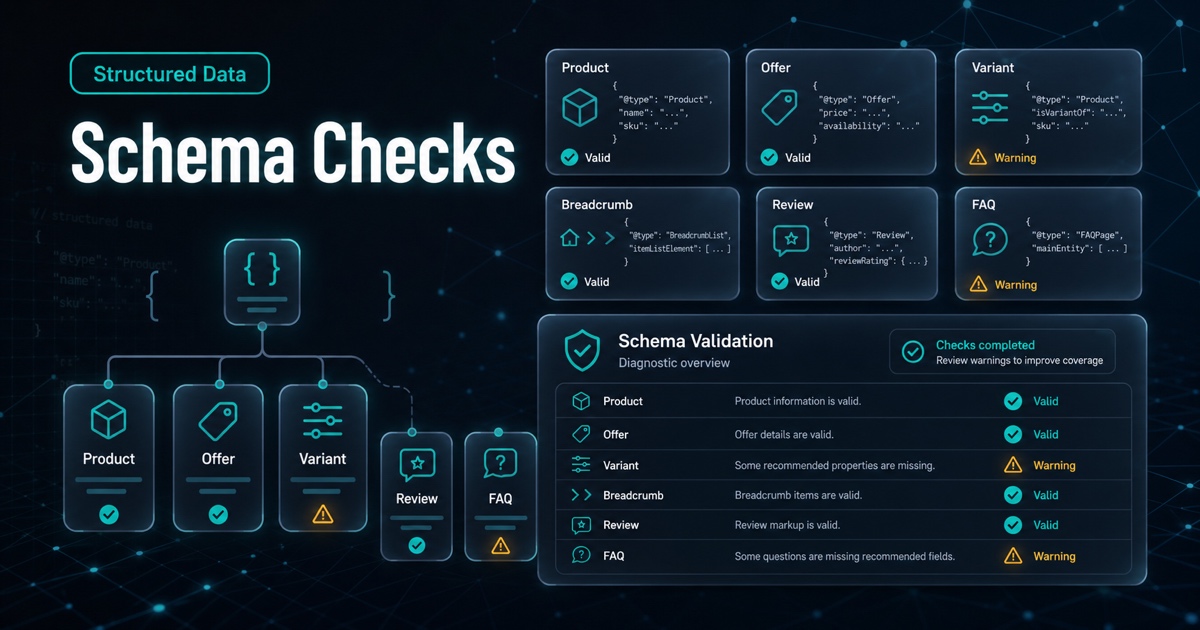
Structured data is useful because it gives machines a clearer version of what is already on the page. For Shopify stores, that usually means product names, descriptions, images, offers, prices, availability, reviews, breadcrumbs, and sometimes FAQs.
But structured data is not magic. It cannot compensate for unclear pages, missing product facts, or unsupported claims. It is most helpful when it accurately reinforces the visible storefront.
This article covers common Shopify structured data mistakes to check before treating a store as AI-search-ready.
The Short Version
Check these issues first:
1. Product schema does not match visible copy. 2. Offers have stale price or availability. 3. Variants are unclear or collapsed incorrectly. 4. Reviews or ratings do not match what shoppers can see. 5. Breadcrumbs do not reflect the real catalog path. 6. FAQ schema is used for weak or fake questions. 7. Schema exists, but the page content is still thin.
The goal is consistency, not schema volume.
1. Schema That Does Not Match The Page
The most important mistake is mismatch. If the page says one product name and structured data says another, the signal becomes less trustworthy.
Check whether schema and visible copy agree on:
- Product name.
- Description.
- Brand.
- Main image.
- Price.
- Availability.
- Variant details.
If the theme, app, or custom code generates schema automatically, review the output after product updates and theme changes.
2. Stale Offer Data
Offer data should reflect what shoppers can actually buy.
Common issues include:
- Price changes that are not reflected in structured data.
- Sale price and regular price confusion.
- Availability marked incorrectly.
- Product pages kept indexable after a product is discontinued.
- Currency mismatch across markets.
Stale offer data creates a basic trust problem. Fix this before adding more optional markup.
3. Variant Confusion
Shopify products often include size, color, bundle, subscription, or material variants. Those variants can be hard to represent cleanly if the theme or app flattens them into one generic product signal.
Review whether variants are understandable in both visible content and structured data.
Ask:
- Are variant names clear?
- Are prices and availability accurate by variant?
- Does the page explain how variants differ?
- Does schema avoid implying that one variant represents every option?
If variants matter to the buying decision, they should be clear to shoppers first.
4. Review And Rating Mismatch
Review signals should not say more than the page supports. If structured data includes aggregate ratings, shoppers should be able to see the relevant review context on the page.
Watch for:
- Ratings from an old review app that no longer appears.
- Ratings attached to the wrong product.
- Duplicate or inconsistent review markup.
- Review snippets that are not visible to shoppers.
This is a trust issue, not just a technical issue.
5. Weak Breadcrumb Context
Breadcrumbs help explain where a product fits in the catalog. If breadcrumbs are missing, inconsistent, or too shallow, the product may feel isolated.
Useful breadcrumbs should reflect a real shopper path:
Home > Bags > Commuter Backpacks > 22L Commuter BackpackWeak breadcrumbs look like this:
Home > Products > ProductIf collection pages matter for your catalog, breadcrumbs and internal links should support that structure.
6. FAQ Schema For Fake Questions
FAQ markup should support real questions. It should not be a place to hide marketing copy.
Weak FAQ examples:
- Is this product amazing?
- Why should I buy from us?
- Is this the best product ever?
Useful FAQ examples:
- Will this fit a 14-inch laptop?
- Which size should I choose?
- What is included in the bundle?
- How do I clean this product?
If the FAQ would not help a shopper, do not use it as structured data filler.
7. Schema Without Strong Page Content
Valid structured data does not mean the page is complete. A product page can pass a schema check and still fail to explain the product.
Before celebrating valid markup, read the page. Does it explain:
- What the product is?
- Who it is for?
- What makes it different?
- Which variant to choose?
- What questions buyers usually ask?
If not, improve the page content and then recheck the markup.
A Practical Triage Order
Use this order when fixing structured data issues:
| Priority | Fix |
|---|---|
| 1 | Resolve contradictions between schema and visible content |
| 2 | Fix price, availability, currency, and variant accuracy |
| 3 | Clean up duplicate or stale markup from apps and themes |
| 4 | Improve breadcrumbs and catalog context |
| 5 | Add or revise FAQs only when they answer real shopper questions |
| 6 | Revalidate after theme, app, product, or market changes |
This keeps the work grounded in accuracy before enhancement.
What Structured Data Cannot Do
Structured data can clarify a page. It cannot guarantee rankings, AI citations, or traffic. It also cannot turn vague product copy into a useful answer.
Treat schema as one layer of AI search readiness. It should work with product descriptions, FAQs, internal links, collection pages, and crawl signals.
Where AnswerAtlas Fits
AnswerAtlas reviews structured data as part of a broader readiness workflow. The audit looks for mismatches, missing product facts, stale offer signals, variant confusion, and weak page context.
If your store has multiple themes, schema apps, or product feed workflows, start with a structured data coverage audit before scaling new content.
Next step
See how AI-readable your Shopify catalog is.
AnswerAtlas can scan product pages for AI-readiness signals such as structured data, catalog clarity, and crawler-friendly content.
Open Shopify App Store listing